Release evidence for Jira
Know what your Jira release still needs.
Testream connects CI runs, Jira issues, BDD behavior, and focused Test Cycles in one release view. See what passed, what failed, and what still needs validation before you ship.
Keep tests in codeStart with one Jira projectReviewer-controlled coverageProject-based pricing
Keep the frameworks. Publish the evidence.
Choose the reporter that matches your tests
Install a native reporter or use the CLI when your tool already produces CTRF or JUnit output.












Connect the evidence behind the release
Publish a run. Connect the context. Review the gaps.
Start with the results your CI already produces, then add the Jira workflows your team needs as coverage grows.
Built for automation-led QA
One release view for runs, behavior coverage, and focused manual checks.
Automated evidence
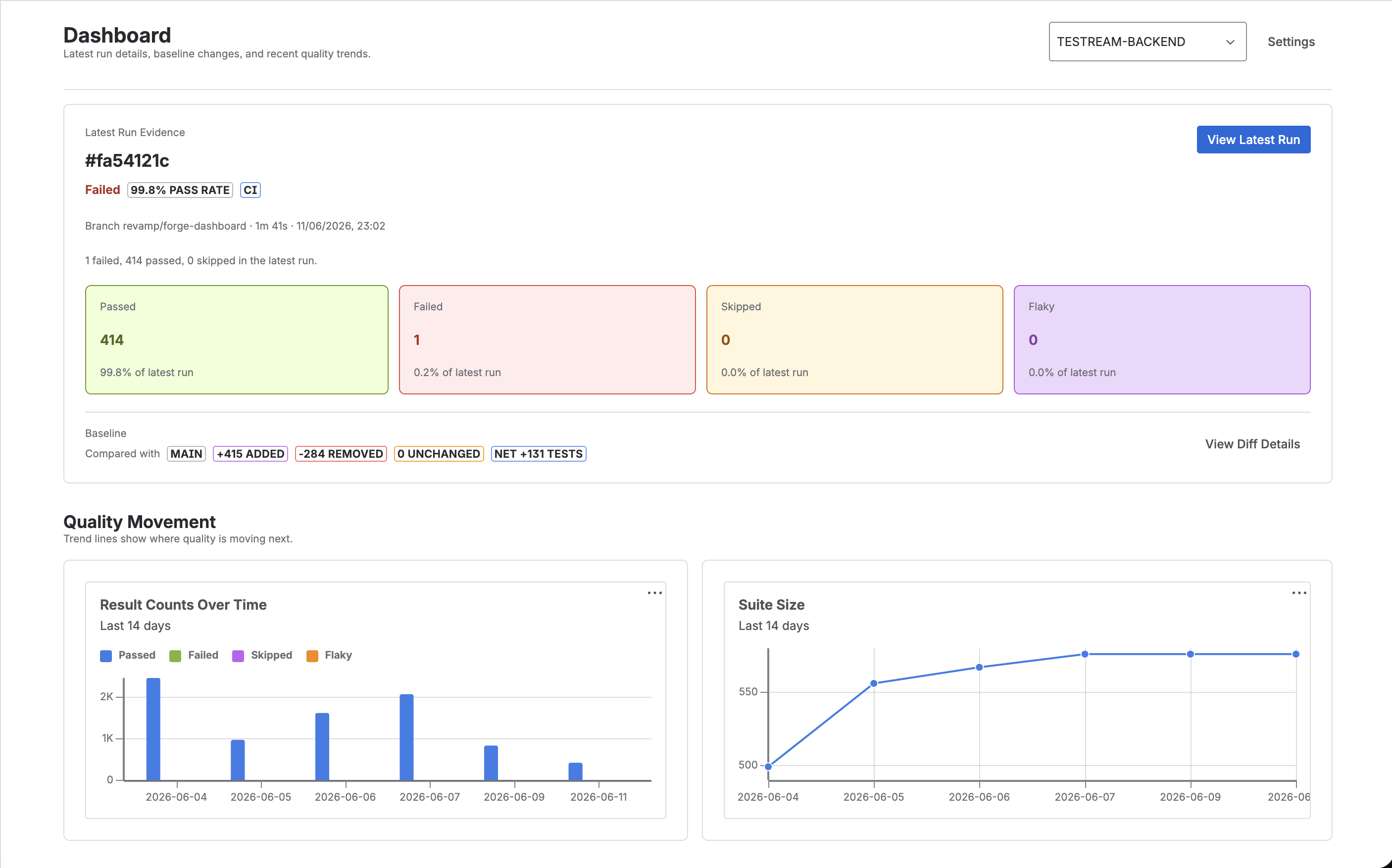
Make every run useful in Jira
Bring pass rates, failures, branch and commit context, artifacts, and suite changes into the issues and releases your team already owns.
Explore automated evidenceBDD & Rovo
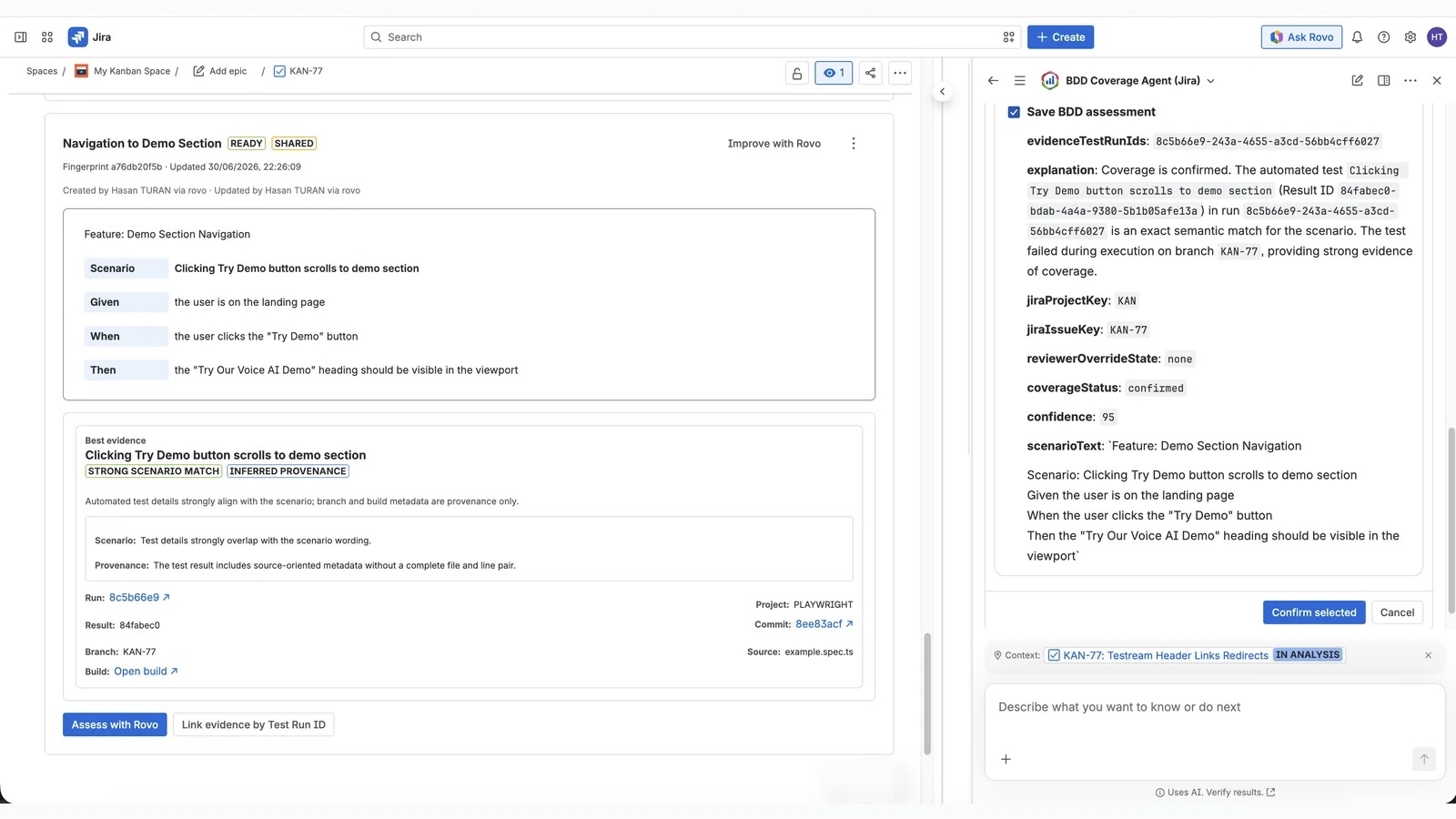
Connect behavior to proof
Write reusable BDD behaviors, assess Jira scenarios against captured evidence, and keep reviewers in control of the final decision.
Explore BDD coverageManual QA
Keep focused manual coverage
Turn reusable behaviors into lean Test Cycles for exploratory, regression, or release checks without building a second test-management universe.
Explore Test CyclesRelease intelligence
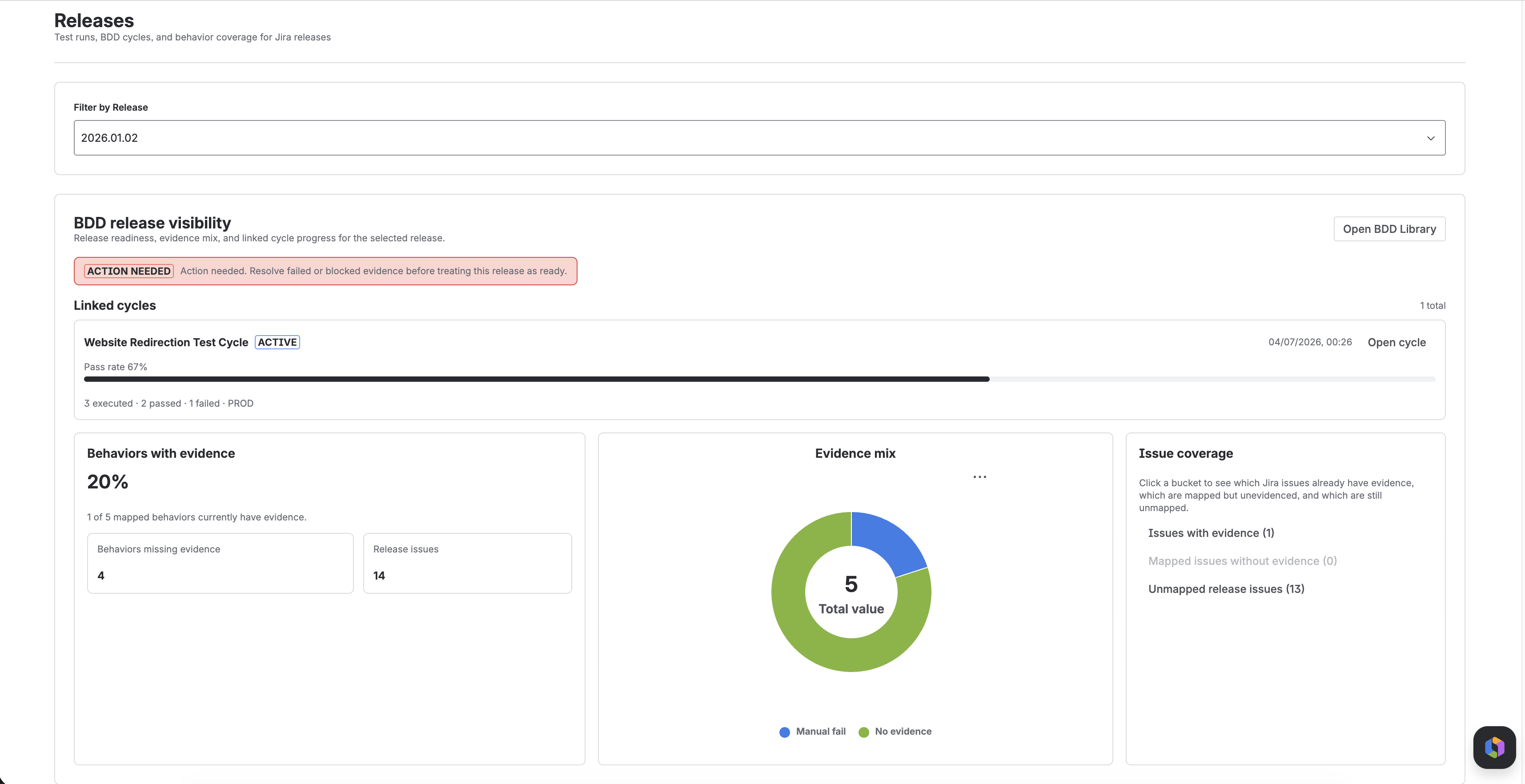
Review what still needs validation
Link runs, cycles, behaviors, and Jira issues to releases so delivery conversations start from current evidence and visible gaps.
Explore Release VisibilityStart with one Jira project
Publish one real run before the release review.
Use the Quick Start to prove the flow with one project, one reporter, and one real run.
Open Quick Start →