Release Visibility
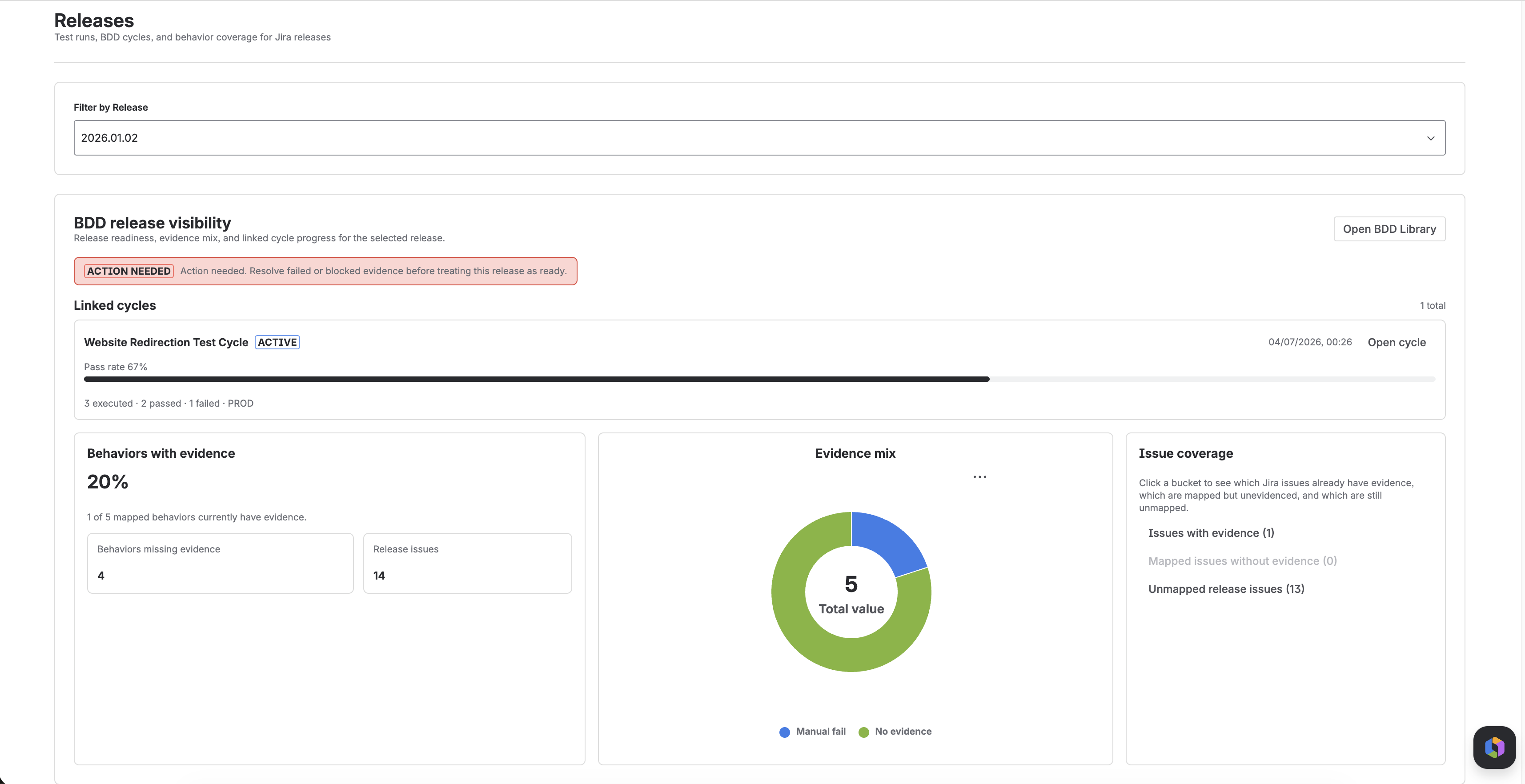
Use Release Visibility to review a Jira release with automated runs, manual cycle outcomes, and BDD behavior mapping in view.
This view extends basic release linking by showing which runs belong to a release, which behaviors are mapped, and which work items still lack evidence.
What Release Visibility Shows
For a selected Jira release, Testream can show:
- Linked test cycles
- Cycle pass rate and execution summary
- Behavior evidence coverage percentage
- Evidence mix across automation and manual execution
- Issue coverage buckets that show mapping gaps
- A release-review callout
Linked Cycles
When a release has linked test cycles, the Releases page shows:
- Cycle name
- Cycle state
- Last updated time
- Pass rate
- A compact execution summary
- A direct Open cycle action
This helps release owners move from aggregate status into the exact cycle that still needs work.
Release Review Callout
Testream summarizes the selected release with a state that points to the next review action.
| Readiness | Meaning |
|---|---|
| No scope | The release has no Jira issues yet |
| Needs mapping | The release issues are not yet mapped to BDD behaviors |
| Action needed | Failed or blocked evidence is present |
| Needs evidence | Behaviors are mapped, but some still have no evidence |
| Ready | Mapped behaviors have evidence and no failed or blocked results remain |
Use this state as review support, not as a replacement for release judgment.
Evidence Coverage and Evidence Mix
The release board shows how much of the mapped behavior set already has evidence.
Evidence can come from:
- Automation linked to the release
- Manual pass results
- Manual fail results
- Blocked manual results
- Behaviors that still have no evidence
This helps teams distinguish between:
- A release that has broad coverage
- A release that is only partially evidenced
- A release that still needs mapping work before execution can even begin
Issue Coverage Buckets
Release Visibility also groups release issues into three buckets:
| Bucket | Meaning |
|---|---|
| Issues with evidence | At least one mapped behavior already has manual or automation evidence |
| Mapped issues without evidence | Behaviors exist, but none has evidence yet |
| Unmapped release issues | No BDD behaviors are linked yet |
This is especially useful for finding release items that look in scope from Jira planning, but still have no usable test behavior map.
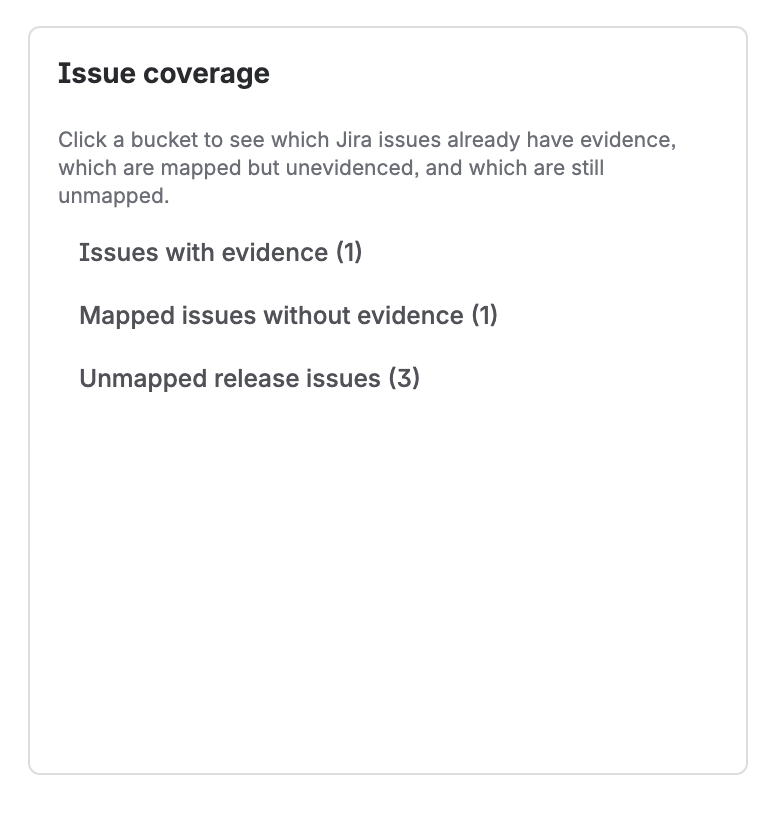
Issue coverage buckets on the release board. Use these buttons to separate release issues that already have evidence, are mapped but still unevidenced, or are still unmapped.
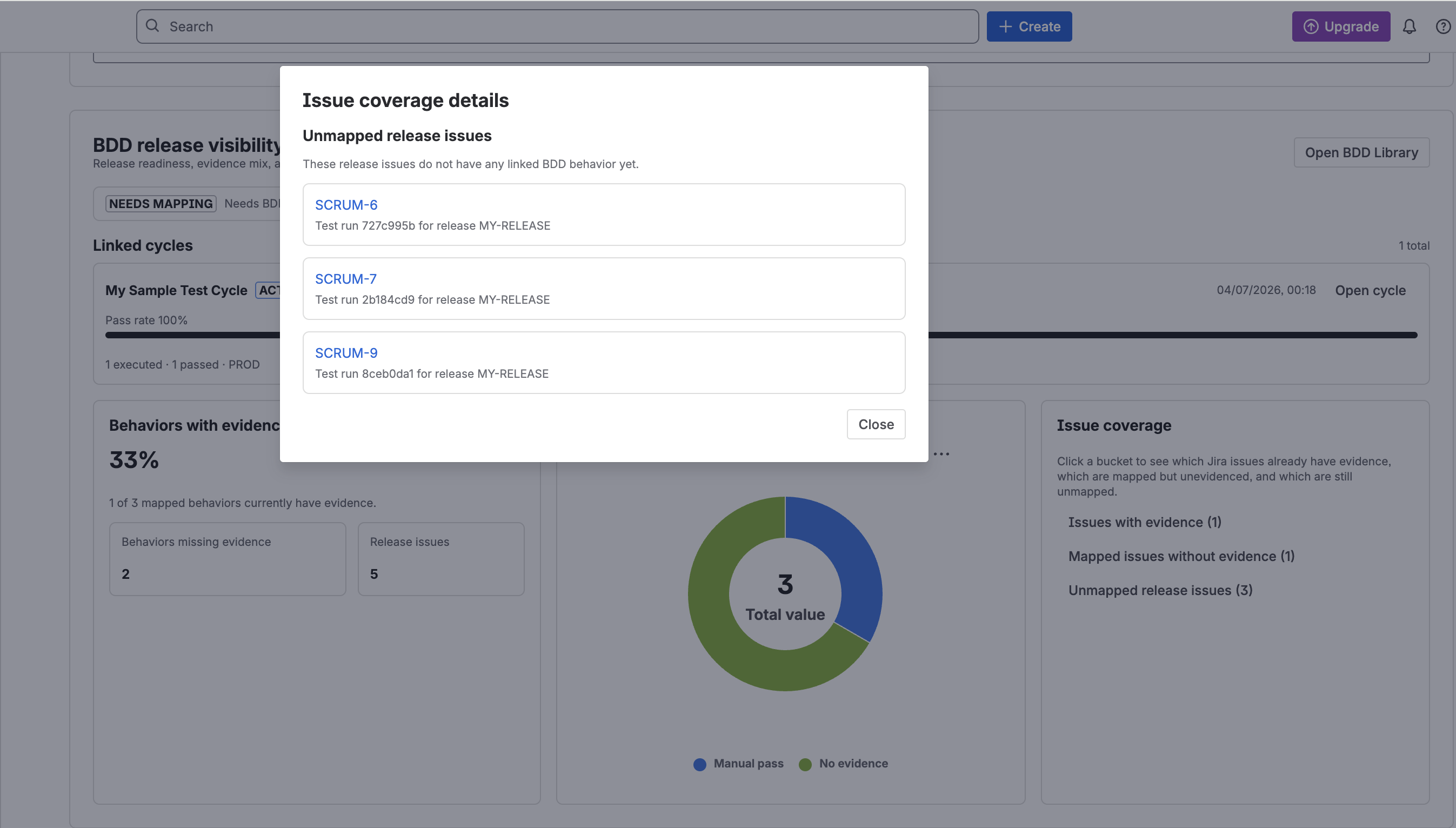
Issue coverage details modal after selecting a bucket. Use this view to inspect the exact Jira issues behind each release coverage gap.
How It Connects To Test Run Details
If a test run is linked to a release, Test Run Details also shows:
- The linked release
- The release issue, when present
- Linked test cycles for that release
- A direct path to the release board
That means teams can move in both directions:
- From a release into a cycle
- From a run into the release board
- From a release-linked run into the specific cycle that still needs execution
Best Practices
- Link runs to releases as soon as they become relevant to a shipping version.
- Map release issues to reusable BDD Library behaviors early, not at the end.
- Use cycles for manual evidence that automation does not cover yet.
- Treat unmapped issues as a visibility gap, not just a documentation gap.
- Review blocked and failed manual evidence before treating a release as ready.
Related Features
Next Steps
- Link runs to a Jira version with Release Management.
- Build reusable behaviors in BDD Library.
- Execute linked manual coverage with Test Cycles.