Issue Creation
Create Jira issues directly from failed tests with pre-filled failure context and custom fields.
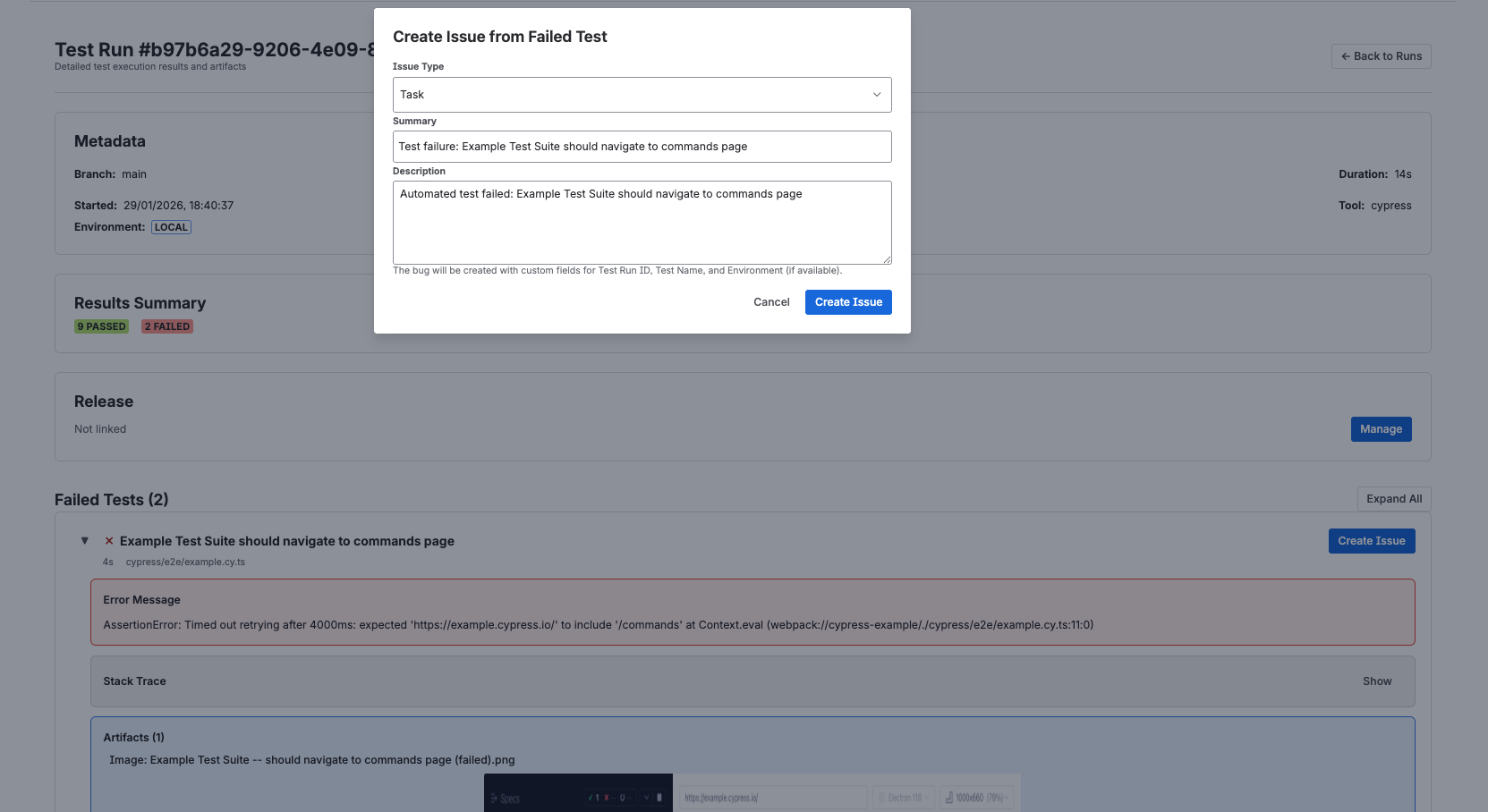
Steps to Create an Issue
- Click the "Create Issue" button next to any failed test
- Review the pre-filled issue form:
- Summary - Auto-populated with test name
- Description - Includes error message and test context
- Project - Select destination Jira project
- Issue Type - Choose Bug, Task, etc.
- The following custom fields are automatically populated:
- Test Run ID - Links back to the specific test execution
- Test Name - Full test identifier
- Environment - Where the test failed (staging, production, etc.)
- Click "Create" to generate the issue
The created issue will contain all context needed for developers to investigate and fix the failure.
Next Steps
- Failure Inspection to review the failed evidence before opening work.
- Test Run Summaries in Jira Issues to keep linked run context visible on the issue.
- Jira test reporting for the higher-level product overview.