Release Management
Link test runs to Jira releases, then review the run history, linked cycles, and coverage context for each version.
Looking for the broader product overview first? Read Jira release test management.
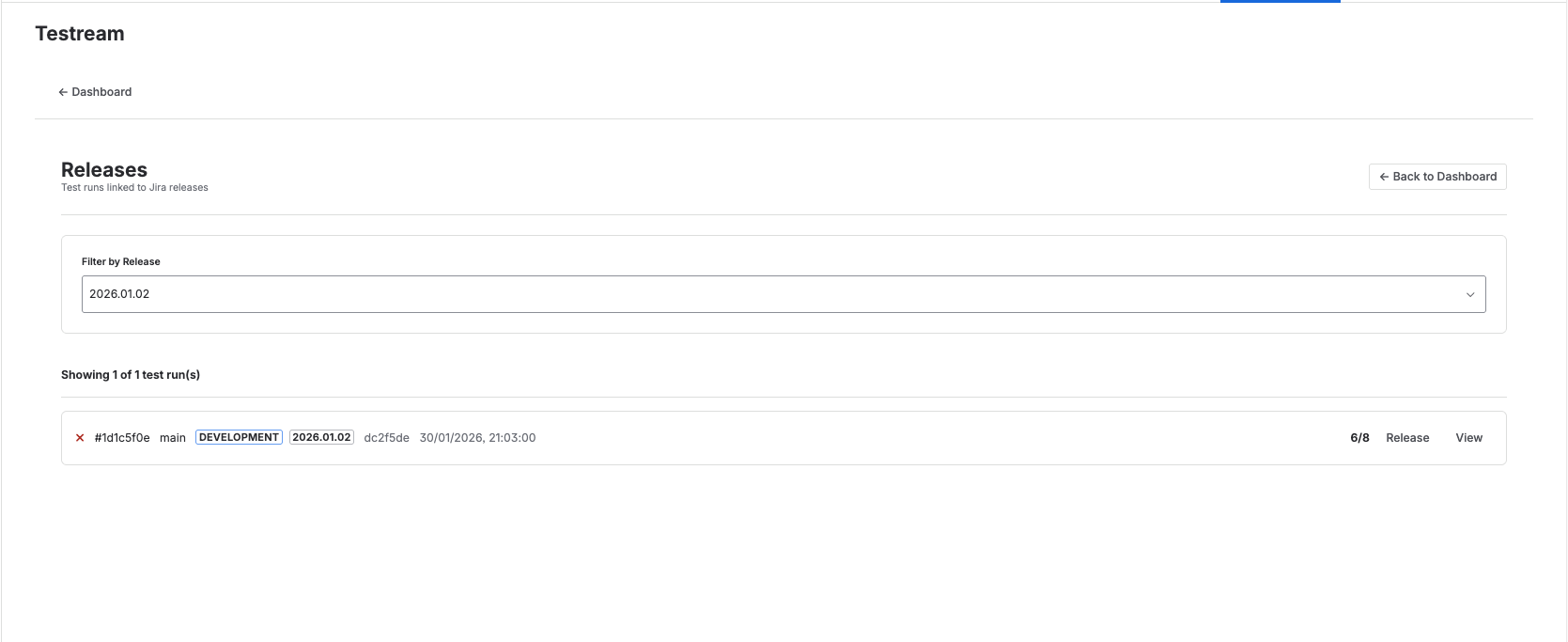
Release Filter And Linked Runs
Use the Releases page to select a Jira version and review the runs linked to that release.
The page combines:
- A Jira release filter
- Linked test runs for the selected version
- BDD-aware release visibility when that version is selected
Linking Test Runs to Releases
From any test run detail page:
- Open the Release section.
- Click Manage link.
- Use the Link Test Run to Release modal.
- Select a Jira release version.
- Save the change.
After saving, the run appears under that release filter on the Releases page.
This gives the release review a traceable link back to the run and its Jira version.
Link And Create Issue
When a run is not already linked, you can also create a Jira issue in the same release-linking flow.
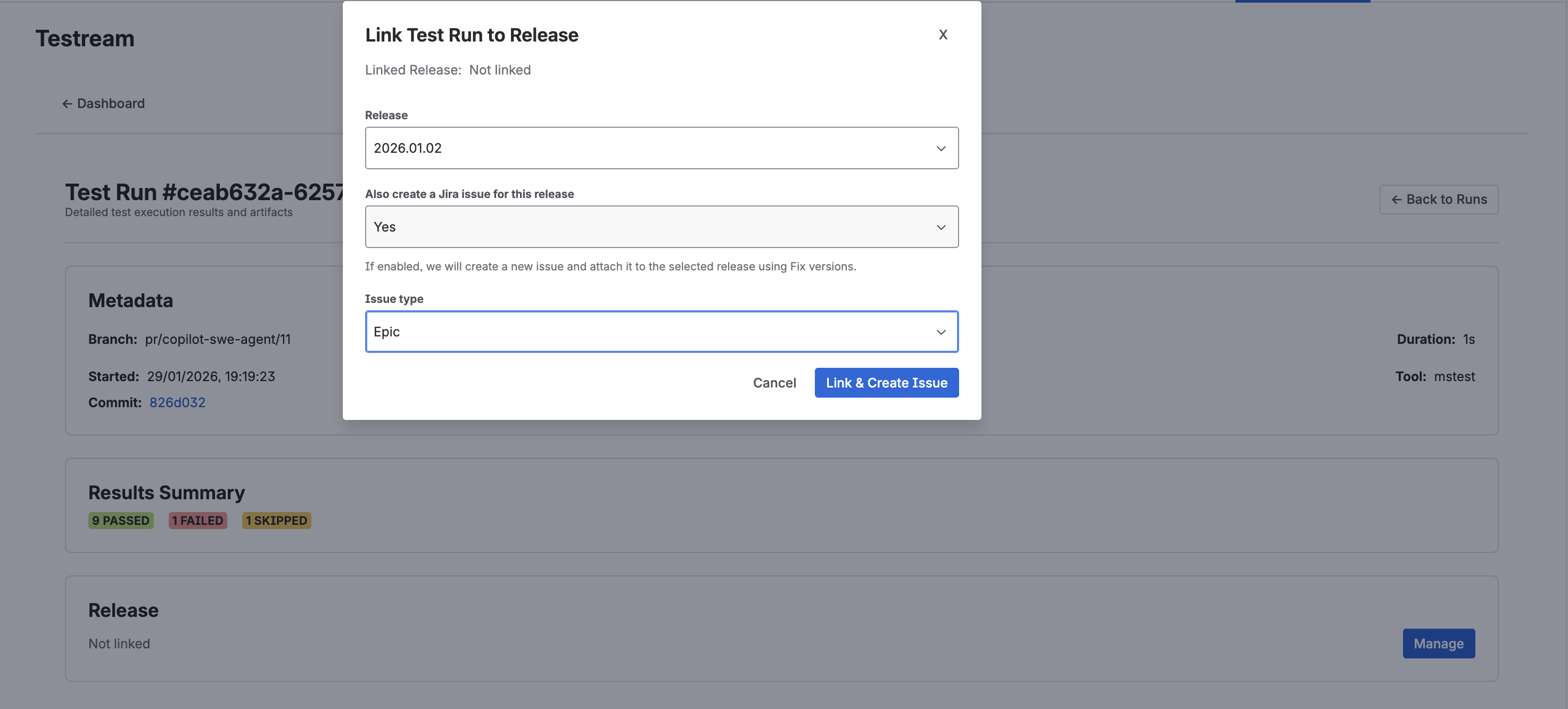
From the Link Test Run to Release modal:
- Select a Release version.
- Set Also create a Jira issue for this release to Yes.
- Choose an Issue type.
- Click Link & Create Issue.
This creates the Jira issue and links the test run to the selected release in a single step.
Filter By Release
Use the release filter bar on the Releases page to switch between Jira versions and review only the runs linked to the selected release.
This makes it easier to compare release-specific quality without leaving the page.
BDD Release Visibility
When a release is selected, Testream can also show a BDD-aware release board with:
- Linked test cycles
- Behavior evidence coverage
- Issue coverage gaps
- Release-readiness callouts such as Needs mapping, Needs evidence, or Ready
Use this when automated runs alone are not enough to explain whether a release is fully covered.
See the dedicated guide: Release Visibility.
Linked Cycles From Releases
If your team uses Test Cycles, any cycle linked to the selected Jira release can appear directly in the release workflow. This makes it easier to move from release health into the exact manual execution batch that still needs attention.
Next Steps
- Release Visibility to review BDD evidence, issue coverage, and readiness.
- Test Cycles to execute manual coverage linked to a release.
- Test Run Details to inspect one release-linked run.
- PDF Reports to share release evidence with stakeholders.
- Jira test reporting for the broader product overview.
- Jira release test management for the commercial release-readiness path.