Rovo Setup Agent
The Testream Setup Agent guides the first connection between an existing test project, its CI provider, and Testream for Jira. It can recommend a reporter, provide a starting CI workflow, link to the relevant guide, and help verify that the first run arrived.
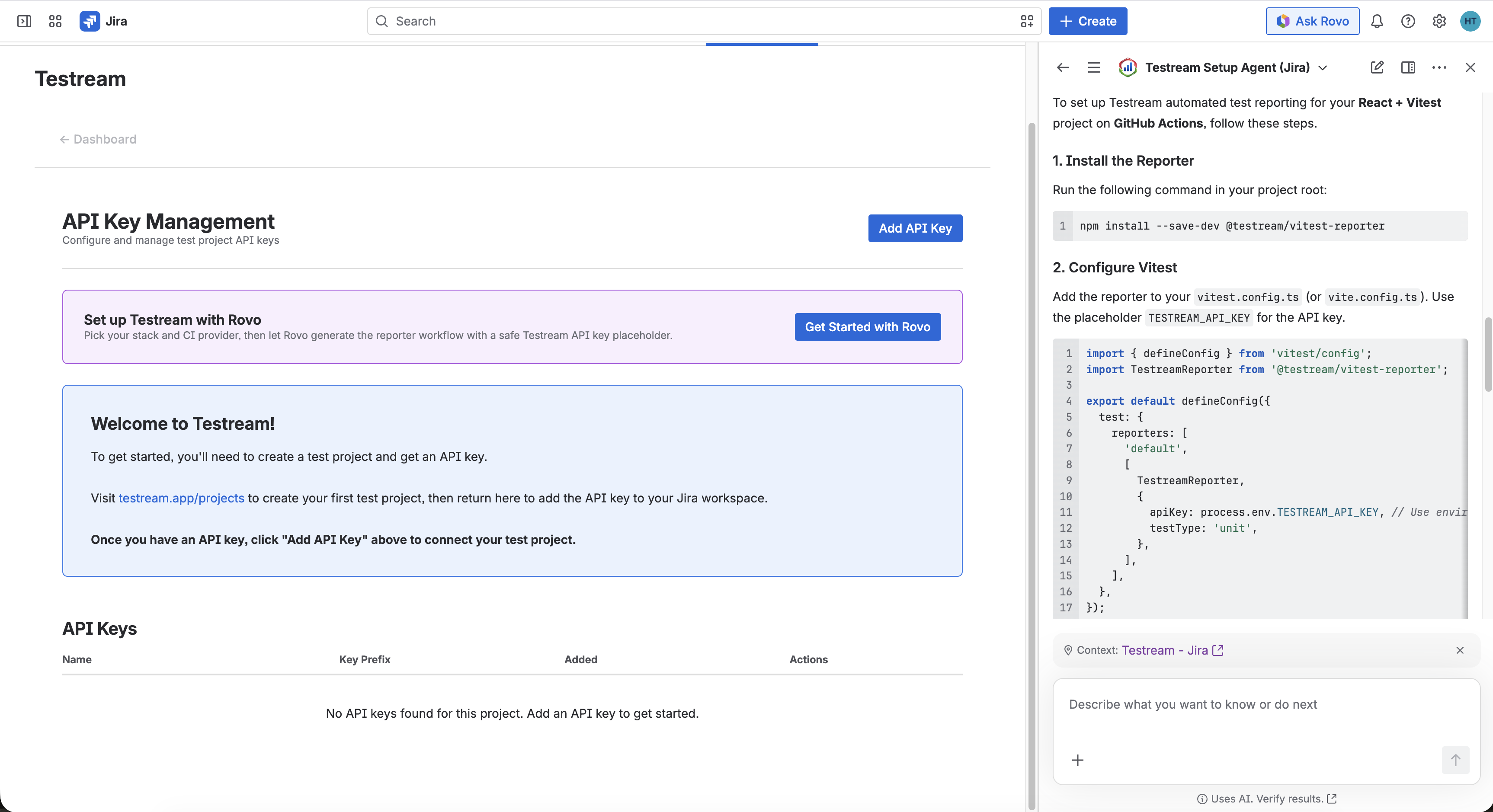
Rovo is a setup accelerator. Check every command, package, workflow snippet, permission, and API-key instruction against your repository and CI provider before applying it.
When should I use it?
Use the Setup Agent when you are unsure which reporter matches your framework, want a CI starting point, or want a checklist for verifying the first ingestion. If you already know your stack, the Quick Start and reporter guides are usually faster.
Start guided setup
1. Choose your stack
Open Apps → Testream → Settings → Get Started with Rovo in Jira. Select the project or test framework you use and your CI provider. If you are unsure, choose I'm not sure and use the recommendation as a starting point.
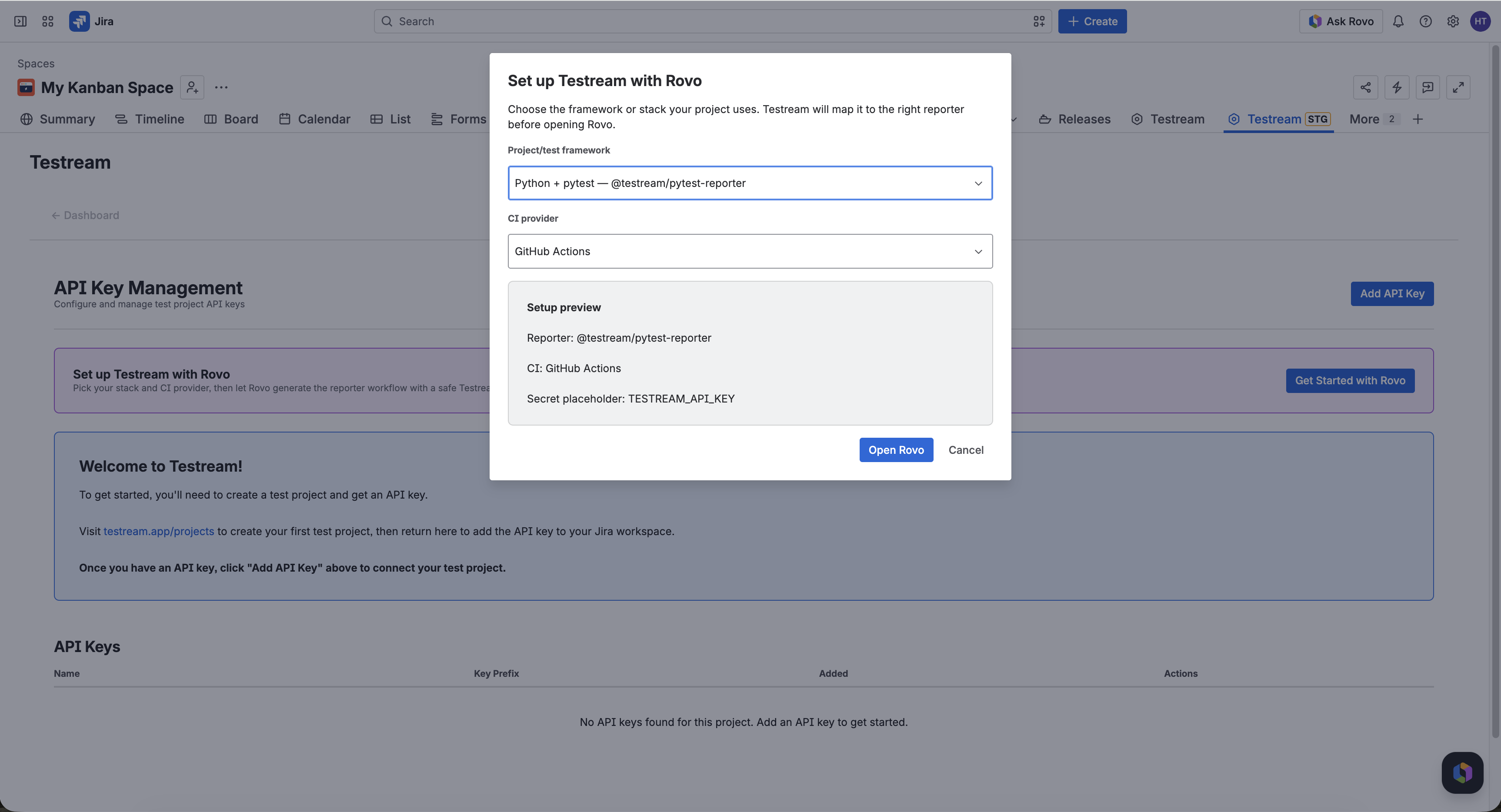
The setup flow supports the Testream reporter paths for Playwright, Cypress, Jest, Jasmine, Vitest, WebdriverIO, Mocha, Go, pytest, JUnit XML, .NET, and CLI-based CTRF uploads.
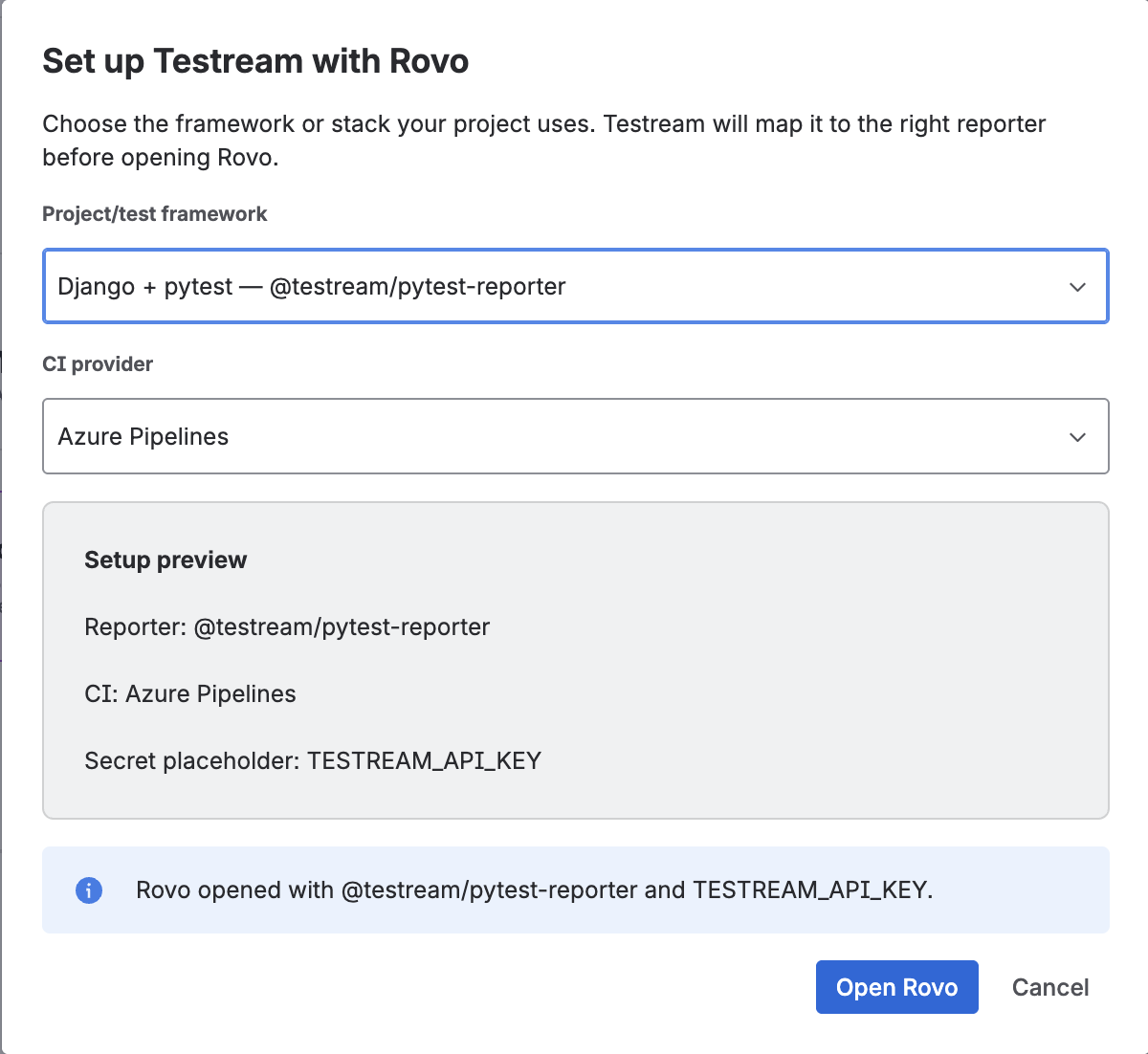
2. Apply the recommendation carefully
The agent can suggest:
- The closest Testream reporter package.
- An install command and reporter configuration.
- A documentation link or sample project.
- CI guidance for providers such as GitHub Actions, GitLab CI, Bitbucket Pipelines, Azure Pipelines, CircleCI, or Jenkins.
- A first-run verification checklist.
Use TESTREAM_API_KEY as the secret name in examples. Store the real key in your local environment or CI secret manager; never commit it or paste it into a source file.
3. Verify the first ingestion
Run the same test command your team already uses. Then open the Testream dashboard or Test Runs in Jira and check for a run with status, framework metadata, and any available branch, commit, or artifact context.
If no run appears, check the API-key environment, reporter configuration, selected Testream project, and CI logs. The Quick Start has a framework-neutral verification checklist.
What the Setup Agent does not do
- It does not replace your CI secret manager or store your API key for you.
- It does not guarantee that a generated command matches your repository.
- It does not replace the framework-specific reporter documentation.
- It does not make release decisions or assess BDD coverage; use the BDD Coverage Agent for evidence review with Rovo.
Next steps
- AI-Assisted Setup procedure - follow the full Jira setup flow.
- Installation - compare all reporter paths.
- BDD Coverage Agent - assess BDD scenarios against captured evidence.
- Jira Integration - understand where evidence appears in Jira.