Test Run Summaries in Jira Issues
Testream brings test context into your Jira workflow with a compact Test Run Summary panel embedded directly in Jira issues. Test runs automatically linked to your Jira issues by branch names from your CI/CD pipelines.
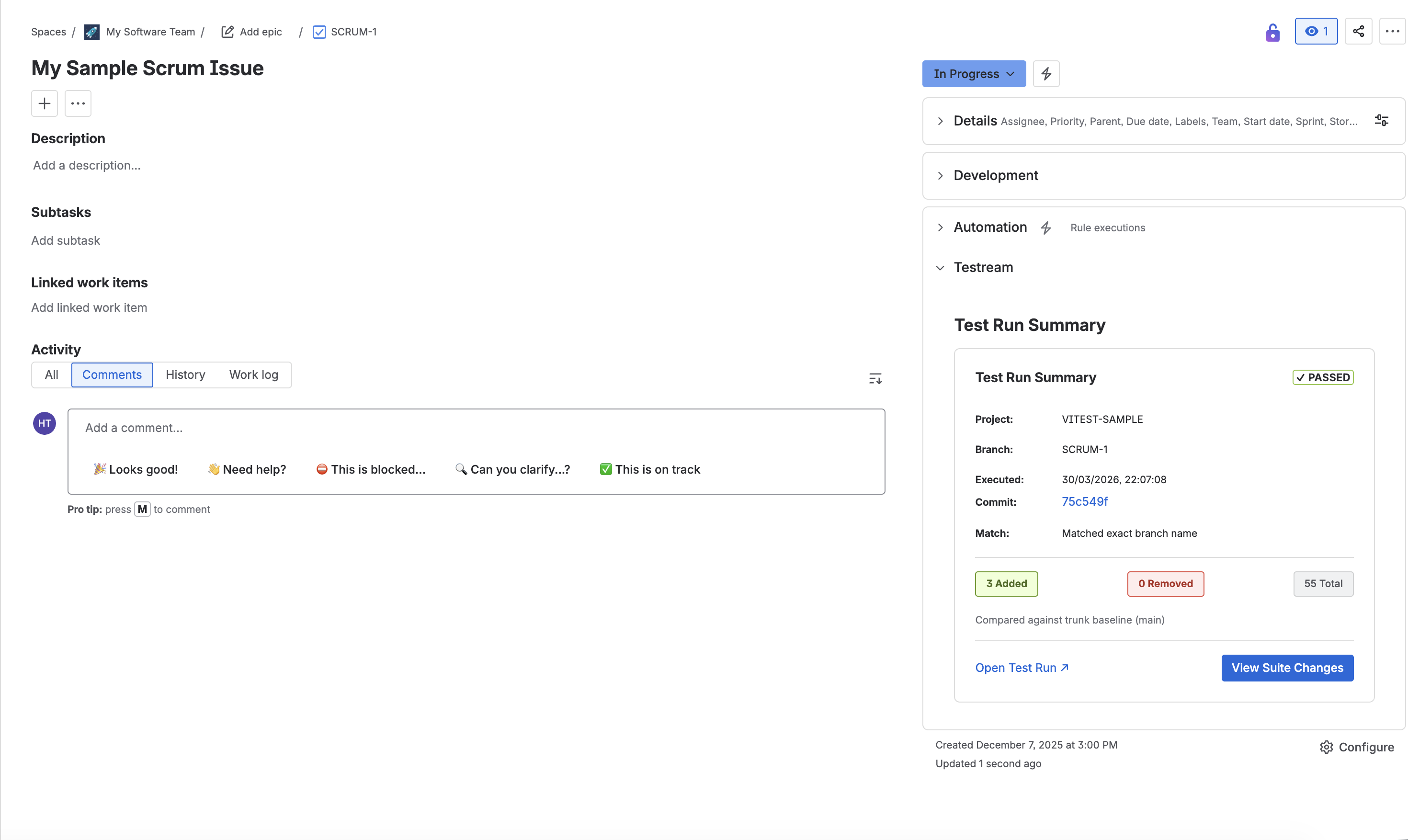
What You Can See at a Glance
The issue panel summarizes the linked test runs across all your projects:
- Run status badge (Passed or Failed)
- Project identifier
- Branch name
- Execution timestamp
- Commit SHA with link
- Branch matching status
- Test suite change chips for Added, Removed, and Total
Quick Actions
Use the panel actions to jump straight into deeper analysis:
- Open Test Run - Opens the full run details page
- View Suite Changes - Opens the detailed added/removed test diff
Why It Helps
- Speeds up triage during bug investigation
- Keeps branch and commit context visible while working on Jira issues
- Highlights test suite drift without switching between multiple screens
Related Features
Next Steps
- Test Run Details to inspect the linked run.
- Issue Creation to open follow-up Jira work from failures.
- Jira test reporting for the higher-level product path.