PDF Reports
Generate downloadable PDF reports that summarize your test run results, including pass rates, failed test details, error messages, stack traces, and screenshots.
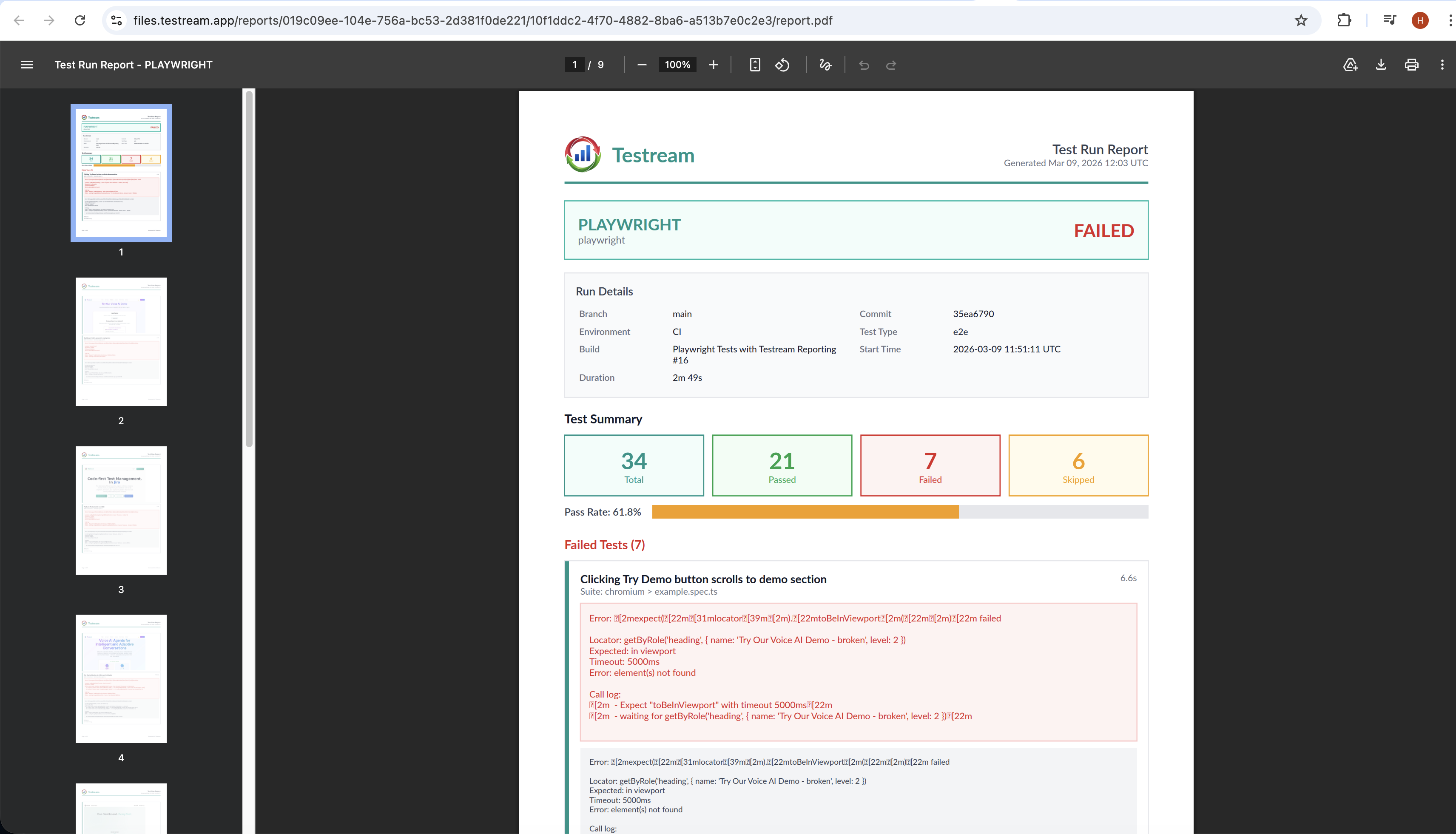
What Are PDF Reports?
PDF Reports provide a shareable, offline-friendly summary of any test run. Each report is generated as a professionally formatted PDF document that you can download, share with stakeholders, or archive for compliance purposes.
How to Generate a Report
- Navigate to a test run detail page
- Click the "Generate PDF Report" button
- The report is generated asynchronously in the background
- Once ready, click "Download" to save the PDF
What's Included
Each PDF report contains:
- Project Information - Project name, test run metadata (branch, commit, environment)
- Test Summary - Total tests, pass rate, and result breakdown
- Failed Tests - Detailed listing with error messages, stack traces, and captured screenshots
- Passed & Skipped Tests - Summary table of all remaining tests
Report Statuses
Reports go through the following statuses:
| Status | Description |
|---|---|
| Queued | Report generation has been requested and is waiting to be processed |
| Processing | The report is currently being generated |
| Ready | The report is complete and available for download |
| Failed | An error occurred during generation; you can retry |
Retry on Failure
If a report fails to generate, click the "Retry" button to request a new generation attempt.
Availability
PDF Reports are available on Starter, Pro, and Enterprise plans.
Next Steps
- Release Management to link reports to shipping decisions.
- Test Run Details to inspect the run before exporting it.
- CI/CD test results in Jira for the product overview behind this workflow.